
Comparison guide
Logitech MX Master 3S vs Razer DeathAdder V4 Pro: which should you choose?
Logitech MX Master 3S and Razer DeathAdder V4 Pro compared under one framework. One recorded specification difference is Battery life: 1680 h on the Logitech MX Master 3S against 150 h on the Razer DeathAdder V4 Pro. Specifications and their sources are recorded alongside.
Published: 2026-08-16 · Updated: 2026-09-21
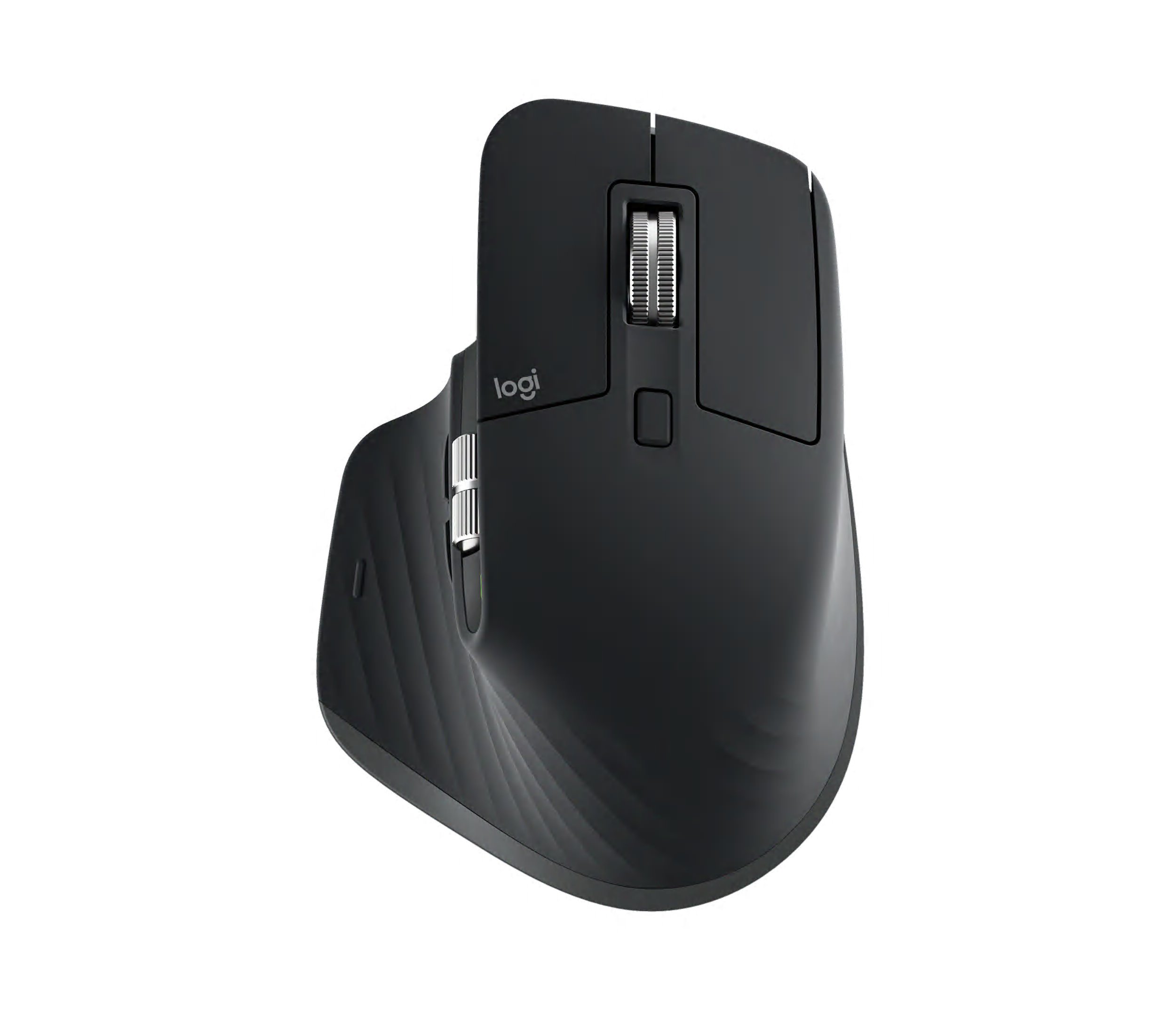
Mice verdict
Undocumented scoring basis · overall score and upgrade ranking withheld. The table records stored representative configurations; confirm the configuration and price on the merchant page before buying.
- Logitech MX Master 3S: The right-handed productivity standard with an 8K sensor, quiet clicks, MagSpeed, and a thumb wheel.
- Razer DeathAdder V4 Pro: The latest DeathAdder combines a 56g ergonomic shell, 45K sensor, 8,000Hz wireless, optical wheel, and up to 150 hours.
- Undocumented quality and performance advantages are not ranked
- Specification field coverage (not accuracy): 100%
Choosing between Logitech MX Master 3S and Razer DeathAdder V4 Pro starts with the real use case and the problem to solve, not with which product is newer. No independent laboratory test is implied.
Core specifications on one baseline
| Item | Logitech MX Master 3S | Razer DeathAdder V4 Pro | Delta |
|---|---|---|---|
| Sensor | Darkfield high precision Manufacturer official product page · check date not recorded | Focus Pro 45K Optical Sensor Gen-2 Manufacturer official product page · check date not recorded | Different |
| Maximum sensitivity | 8000 DPI Manufacturer official product page · check date not recorded | 45000 DPI Manufacturer official product page · check date not recorded | +240% |
| Polling rate | 125 Hz Manufacturer official product page · check date not recorded | 8000 Hz Manufacturer official product page · check date not recorded | +240% |
| Weight | 141 g Manufacturer official product page · check date not recorded | 56 g Manufacturer official product page · check date not recorded | -60.3% |
| Buttons | 7 Manufacturer official product page · check date not recorded | 8 Manufacturer official product page · check date not recorded | +14.3% |
| Battery life | 1680 h Manufacturer official product page · check date not recorded | 150 h Manufacturer official product page · check date not recorded | -91.1% |
| Wireless modes | Bluetooth LE, Logi Bolt (3 devices) Manufacturer official product page · check date not recorded | HyperSpeed Wireless Gen-2 Manufacturer official product page · check date not recorded | Different |
| Charging | USB-C; 1 minute for about 3 hours Manufacturer official product page · check date not recorded | USB-C wired/data charging Manufacturer official product page · check date not recorded | Different |
| Dimensions | 124.9 x 84.3 x 51 mm Manufacturer official product page · check date not recorded | 128 x 68 x 44 mm Manufacturer official product page · check date not recorded | Different |
| Color | Graphite | Black | Different |
| Region | KR | KR | Same |
| Model Code | M-R0077 | RZ01-0533 | Different |
18 of the 24 values in this table carry a source. The rest have no source on record, which is not the same as being wrong.
How to read Same, Different, No data, Unverified and Not applicable is documented on the configuration-level specification screen. If a condition you require is unknown, withhold the decision and match the exact model, sales region and configuration against the sources on that screen.
Differences recorded in the table
5 fields can be ranked on the same basis, listed by weight.
- Battery life · Logitech MX Master 3S 1680 h, Razer DeathAdder V4 Pro 150 h (-91.1%)
- Buttons · Razer DeathAdder V4 Pro 8, Logitech MX Master 3S 7 (+14.3%)
- Maximum sensitivity · Razer DeathAdder V4 Pro 45000 DPI, Logitech MX Master 3S 8000 DPI (+240%)
- Polling rate · Razer DeathAdder V4 Pro 8000 Hz, Logitech MX Master 3S 125 Hz (+240%)
- Weight · Razer DeathAdder V4 Pro 56 g, Logitech MX Master 3S 141 g (-60.3%)
The decision axes and the checking order for the whole category are on the Mice comparison page.
The two products this comparison names
Match the listing against these models first. The recorded-field count is catalogue completeness, not product quality.
- Logitech MX Master 3S · Logitech · model number M-R0077 · released 2022 · recorded fields 12/12
- Razer DeathAdder V4 Pro · Razer · model number RZ01-0533 · released 2025 · recorded fields 12/12
Fields the two products share
1 recorded field holds the same value for both stored representative configurations, so nothing in this list separates them.
- Region · KR
Who should choose Logitech MX Master 3S
Logitech MX Master 3S leads the table on Battery life. The right-handed productivity standard with an 8K sensor, quiet clicks, MagSpeed, and a thumb wheel.
Who should choose Razer DeathAdder V4 Pro
Razer DeathAdder V4 Pro leads the table on Buttons, Maximum sensitivity, Polling rate, Weight. The latest DeathAdder combines a 56g ergonomic shell, 45K sensor, 8,000Hz wireless, optical wheel, and up to 150 hours.
How to read price and purchase availability
No merchant link is shown: neither product has an approved listing whose name and configuration match the catalogue, and AsKrs does not guess a destination.
- Logitech MX Master 3S · No verified purchase link currently available
- Razer DeathAdder V4 Pro · No verified purchase link currently available
This comparison is built from published specifications and stored representative configurations. The use context, configuration checks, switching costs, and the scope and limits for Mice are documented on the Mice comparison page.